10/GUI: One Very Slick Desktop Multi-Touch Concept (Video)
by MG Siegler on October 13, 2009

Screen shot 2009-10-13 at 12.52.28 AMHopefully you just read Michael’s post about Why Desktop Touch Screens Don’t Really Work Well For Humans. The answer is so simple that a lot of people overlook it: No one wants to hold their hands at monitor-level all the time, you’d get tired very quickly. If you’re looking for a quick answer as to why many touch screens like the TouchSmart line haven’t seen success in the past, that’d be it. But that’s not good enough. We need a solution, because as much as some people would like to hold on to the past, we’re not going to be using a keyboard and mouse forever to interact with computers.

Certainly, having a touch screen computer that sits at an angle like an architect’s desk is one solution. The issue there is that you need the screen to be big enough so that your hands don’t completely obstruct what you’re doing. Hopefully Microsoft will unveil some version of the Surface that works like that. But another potential solution comes by way of a brilliant concept video for something called 10/GUI.

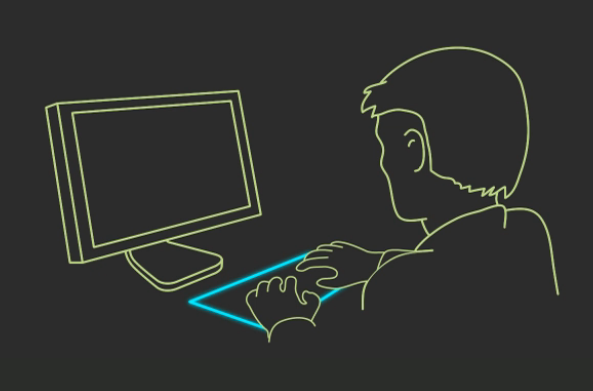
If you haven’t seen this demo before, you should watch it (below). It brings up some key issues surrounding the future of touch input from both a hardware and software perspective. 10/GUI’s solution is to create a multi-touch pad that lays on your desk in the area that a keyboard or mouse would. You then use this pad to interact with the monitor in front of you, just as you would with the more traditional methods of input.

The key difference is that rather than have one cursor on the screen, you potentially have ten (one for each finger). While all your fingers could be resting on the screen, a “click” would not occur until you applied pressure from one or many of your fingers. The result is pretty cool — manipulating the user interface in a way not completely unlike the computer interaction in Minority Report (which is still my ultimate dream), though not three dimensional, of course.

But 10/GUI realizes that using this touch technology still may not be ideal for manipulating current computer operating systems. Specifically, the idea of the window-based interface becomes less ideal as you add more and more windows. 10/GUI’s solution is something called Con10uum, which is basically a linear way to organize windows. When matched with some of the multi-touch gestures, the system seems to make some sense.

Of course, then you get into a whole different game. Companies are already scooping up patents on different multi-touch gestures left and right. For example, here are some of the ones that BumpTop has for its system. Apple has others. Microsoft undoubtedly has some of its own too. It’s beyond ridiculous that you can patent a gesture, and this could lead to real issues in the future if multi-touch computing does take off. Nevertheless, that’s where we are.

Again, 10/GUI is just a concept created by R. Clayton Miller. You can read more about it here.

10/GUI from C. Miller on Vimeo.

[thanks Basti and Daniel]

Advertisement

Responses

Comments rss icon

  • its amazing how far ahead of the curve Spielberg was. I was told he assembled a technology think tank prior to shooting that movie to keep it futuristic in a realistical sense.

  • That is so amazing! I hope I live through to see this actually implemented!

    • +1, that’s just what I thought when I watched the vid. Since moving to a multi-monitor setup, I have often wondered why the innovators in charge can’t come up with something better than the mouse. Handling several open windows on 3 or more monitors can be a chore. Why do I need so many monitors? If you’ve ever done any sort of editing (literary, film, TV, digital music) you know why.

      • On the Mac one uses Spaces to easily manage multiple desktops on a single monitor.

        The one thing that falls apart for me in the above demo is often those “arbitrary” window positions make is easy to work in one application (like a text editor) while reading or referencing the results in another application’s window.

        Forcing one to group all of an application’s windows together destroys those interrelationships, and would seem to dramatically increase the amount of time one would spend switching and moving windows back and forth.

        The “always full screen” idea also screws with the idea of having “helper” applications like dictionaries and monitors positioned along the edge of one’s workspace.

        Sorry guys. Nice idea, but I’ll keep Spaces, Expose, my multitouch trackpad, and my current set of “novel” solutions to my workflow problems.

  • A great evolution of mouse interaction to 10-point touch. Still a lot of work to be done, however it is exciting too see this innovation take shape.

    I’d love to see a vertical solution (stacked/rows), as well easier access to app windows.

  • nice just in time… from a comment to the article…

  • How would you type? I imagine a keyboard lighting up on the captive touchpad would be a nice feature.

  • all this input talk reminds me of the voice rec hype ~1995

    what problem are we solving again?

    • We’re trying to solve MG’s lack of creativity in writing a blog piece.

    • So far? None.

      While I like how they address the obvious positioning issues with touchscreens, it is yet-another concept that avoids common tasks.

      We do not use computers only to move windows around, edit pictures or adjust sliders.

      Show me how multitouch and/or 3D-aware desktops can revolutionize how we fill up an Excel sheet or type an email? I mean, sure they’re boring tasks, but that’s what computers are mostly used for.

      • Or help me type thousands of lines of code faster :P As much as I’d like a new input method, I’m afraid switching from a physical keyboard would hurt typing speeds. I, as most people probably do, use the tactile feedback for alignment while typing.

    • You solve multi-touch on screens that are larger than your palm.
      Why would you need multi-touch? You could interact much faster with stuff on the screen: Imagine going from typing on a keyboard using only one index finger, to typing using all ten fingers.

      • I mis-phrased: replace “multi-touch” with “touchscreen”. The key advantage is in the ability to quickly access any point on the screen; the smaller advantage is to be able to touch simultaneously more than one point (for zooming or what-have-you).

  • The thing is, I can’t see how it makes anything more productive.

    I can see if it somehow increased productivity like keyboard shortcuts or something. But really all it does is allow simple zooming (something the scroll wheel does fine) and better organization.

    I’m all for change and innovation. But in the standard workflow, I just don’t see it adding anything.

  • The software part looks interesting, as does Bumptop.

    On the hardware front, doesn’t this sort of thing already exist in a slightly less elaborate form? I’ve been using one of the IBM (now Lenovo) external keyboards with inbuilt touchpad for years. The touchpad could be larger and the software multi-touch, but otherwise it seems to work in a similar way to the concept. Which is probably a good thing, as I much prefer it to keyboard and mouse.

  • Personally, I think that the concept is great, but looking too far ahead. People are used to gradually learn new technologies, and even more so with the interfaces.

    What I would like to see is a gadget that would be like existing keyboards, except that it would have touchscreen instead of the buttons. Then the driver software would turn that touchscreen surface into whatever the user needs — e.g. one option would be a classic set of (virtual) keys, just like on a keyboard; another layout would be the same, except the keypad would be replaced with a touchpad; a third setting would use the device as a graphic tablet; another would be an auxiliary screen; etc etc.

    • My thoughts exactly! It would be a brilliant device. The major stumbling block that I don’t see being solved anytime soon is the tactile feedback of the traditional keyboard. How would one ‘touch’ type? i.e. without looking?

    • Apple recently patented that sort of device. Some suspect that it will be used for the tablet.

  • Yea its absurd that they can patent gesture, they complain about microsoft and IBM being a monopoly, but is int this the same thing if u patent a simple gesture. That will slow down the development, companies won’t have the freedom. if they have great hardware but cant use it properly because the gesture is patented then of course we are going to lag behind in the touch technology.

    PM
    http://openpit.wordpress.com

  • bamboo touch?

  • Ah, yes, and how do we type? By constantly moving both hands to the keyboard? How do you press shortcuts in, let’s say Photoshop?

    This concept cannot increase work speed and work efficiency of applications that power-users need for their day to day work.

    I can guarantee you that keyboard and mouse will be inputs for the next 100 years, maybe a little bit improved, but never the less – keyboard and mouse.

    • I disagree that we’ll be using keyboards and mice for the next 100 years of computing. I think as soon as voice recognition starts to pick up, we’ll see a real change in the way computing happens.

      Computers can already do basic voice recognition of a word or two and I’d like to see that implemented in modern touchscreen devices like the iPhone. If I want to fill out a long form, I should just be able to touch and hold on each field in the form and then speak what I want to go in that box. When I let up, the computer should input that information. If its information thats used frequently, like your name and address to fill out forms, then the computer should recognize your speech fairly easily. As voice recognition progresses, I think we’ll forget about the keyboard and mouse pretty quickly.

      • Yeah, we’ll all be talking to our computers at the top of our voices while in our cubicles at work, and when we need to talk on the phone or to humans, we’ll just kinda stop using our computers for a while. Then we’ll get right back to doing work when our phone calls or conversations are over. I hope you can see how that would be ridiculous. Plus who wants to freaking talk out loud all day? That would suck.

        Even so, we will not be using a keyboard and mouse 100 years from now. Interfaces that conform to the application or the specific task are the future, situational interfaces, and touchscreen devices are one way to make the interface conform to the needs of each situation, where a keyboard and mouse reach their limits.

      • yeah, that’s silly. the brains commands muscles faster than it takes to say something. you move your fingers faster than you speak, it’s that simple.

        i totally agree the mouse and keyboard are here for a long time. for the same reason we still eat with knives and forks. and that cars have 4 wheels. at one point, design and user interaction finds its way through logic and the obvious. the same way evolution works with species. and keyboars and mice have won that battle already, the same way humans have.

  • I like apple’s expose and think the horz scroll bar of 10’s windows would be too long. applying touch to expose could look like – dbl-tap (pick a gesture), do expose, tap on window you want, center attention on that window.
    it’ll end up as an app on the iPad for desktop control.

  • I was thinking Fingerworks (defunct), but it *was* this, less the gui front end.

  • 90% of the time, I use keyboard. Does Multi-touch support typing too?

  • I can see this replacing the mouse and working alongside the keyboard. You could have a 10/Gui about the size of a mousepad, and voila! I’d use that, if only for the 10-point interaction system.

  • This is definitley the best TC post in a long while – very interesting stuff. Definitley a glimpse in to the near future.

    Some of you may have find the ‘Tactus’ keyless keyboard interesting.

    http://www.artl...optimus-tactus/

  • This really looks very interting, nice video. I like the easy linear-Apps Manager approach. I bet this vision will become realtity with some minor changes, like easy ways to view two or even three windows at the same time.
    Waiting for multitouch on my android.

  • First I thought : “It’s just a big multi-touch touchpad” then came the whole ZUI based thing…. which they seem to have thought pretty well!

  • like people have already mentioned – the keyboard issue remains. i think the microsoft multitouch mouse developments are a more viable solution for the next step (unless you just want to move windows around a lot!)

    • You mean the new Apple multitouch mice that are to be released any time now?

      Yeah, I heard of the ms prototypes that where announced after I heard about the Apple initiative.

  • If there is one thing I learned moving from a small traditional PC touchpad to the Mac’s larger, gesture-based touch pad, it’s that edges are EVIL.

    You had me up until the local/global edges. To me it’s very inefficient to have to ’search’ for the edge of my touch pad either with my eyes or my antennae fingers.

    I also don’t agree that in-lining every single open app is the best organizational concept. Mac and Linux workspaces (i.e. multiple desktops) so far has proven the most efficient for me. Even in my single-point, mouse-restrictive world :-)

    The in-lining seems more like the iPhone concept where I have to scroll countless pages until I ‘remember’ where I left that app.

    I applaud the efforts though. Let’s keep kicking it up!

  • I have to applaud people working toward the future. However I can’t get myself excited about this.

    First of all, not having my hands on the keyboard will only cost time.

    Secondly, how is having every window open side by side efficient? Does anyone actually use cover flow?

    Third, the mouse reigns supreme because of its scalability. Last, but certainly not least, I have 3 22″ monitors in front of me. Do i need to buy a 5 foot wide touch pad?

    I think Windows 7 does a better job of fixing windows management than this. Especially touchscreen monitors are more available. One day, I can totally see myself one day having a desk with my beautiful panorama of monitors sunken in.

  • Also, I would like to note that I cringe when I think of a world where keyboards don’t have physical keys. wpm/10

  • Seems interesting but I feel like there’s a loss of precision when you switch to fingers only. The mouse provides pinpoint accuracy which is useful for things such as 1st person shooter gaming and Photoshop image development. Perhaps it’s more dependent on the UI than the input interface but still I’m skeptical.

  • Very cool concept. Couple observations:

    1) I wonder how utility screens would be displayed (IM windows, control panels, etc)?

    2) It is unfortunate that so many multitouch gestures would be reserved for the OS and window management. This limits what we can do within applications.

  • So the 10/GUI system is a Wacom tablet + Coverflow + (Alt+Tab)? That’s some futurism, right there!

  • Interesting concept, but as with the poster above, my worry is whether this will turn into something much like the speech recognition hype. While speech recognition WAS a useful feature, it couldnt used all the time, for obvious reasons.

    I wonder how this will fair

  • There’s no doubt that this is an attractive and intuitive system, but it could present huge issues for disabled people – the entire UI relies on the user being able to make fairly large gestures – and to have at least 4 fingers.

    Once you plug in assistive technologies that would be required to make such a system accessible, it could end up becoming less usable than existing systems.

  • I like the 10 finger input.
    But the software falls short. It reminds me of tabs in a browser.
    For example if I want to send a mail/wave to “all” people working on the project I have an window open for.
    Why does the communication apps not know, I’m working right now on this Project. And all in this context means all people on this project. If I narrow it down to work on the developers part, all means all developers.
    So how to teach the abstract of all to a system? Boolean with it’s over and over implementations of the same concept, while, for , do….. obviously falls short. Except you want to program yourself to death or go for job security.
    I believe for 21th century kind of system we have to rethink our abstracts too. Again like the 10 finger input system, not so much the software.

  • the concept is just like a big Mac Book Pro touch pad.

    If you use the touch pad often, you can easily and practically find the different between this concept and the normal use of a mouse.

  • The video simulation recalls the slit scan production technique actually used to produce the visuals for the Hitchhiker’s Guide To The Galaxy. And there is something about that music too! Brilliantly done.

    Either way, the best way to go with 10/GUI would be to develop an application for OS X (and Windows 7?) that allows one to try it with a Wacom tablet. It doesn’t appear to include any features that would be a major drain on the CPU.

  • OMG, please go buy yourself each a bamboo touch…

  • After watching that video, I have to do this. G.U.I. is an abbreviation for graphical user interface, not a word and should be pronounced as such. Same thing with file types.

    G-U-I not Gooey!
    J-P-G not jaypeg!

    I mean really, do you pronounce it aychtemal or H-T-M-L?

  • They had me until the end. I don’t like the keyboard solution here. If multi-touch panel were a screen and you could have the whole surface as touch with visuals, with the ability to invoke an iPhone like touch keyboard, then we’d be talking. You could then customize the “screenboard”(?) with your own shortcuts and widgets something akin to the Sense UI

  • “Possibility for neck cramp”? You know, like when your writing on a pad of paper, or reading a book or newspaper. The possibilities of actually interacting with the visual interface are what make multi-touch truly exciting. Drawing or writing directly on the screen, shoving windows and other elements around the screen and seeing some simulated physics that seems to react naturally based on how hard or soft you throw, etc. Multi-user interfaces, interfaces that are task-based and suit a particular situation perfectly, as opposed to the one size fits all solutions of the current desktop.

    10/GUI has got almost nothing right so far. It looks basically like an ugly linux distro with sideways linear window management that should somehow be faster because I can use all 10 fingers on what is basically a large touchpad mouse surface. Do I have that right? Apple could add more gestures to their MacBook touchpads and immediately duplicate any useful features of such a system, which I was not at all sold on. Can you even maximize an application so it takes the whole screen? I like the idea of less clutter, but this seems all wrong.

    • +1
      Franky. This is alas, solving a problem that doesn’t exist. It is also complex to monitor 10 figer points simulatneously. It’s like having 10 cursors on screen at once.

      Nobody suffers ‘neck cramps’ from writing on a sheet of paper. And nobody writing/drawing in a notebook with pen and paper complains about obscuring the paper with their hands.

      If we have been writing on paper with pens since the days of Egyptian papyrus, then that suggests that ergonomically, it is a very comfortable working model for us humans.

      The perfect touchscreen experience therefore, will be one that perfectly replicates the experience of drawing/writing on a notepad with pen and paper.

      This means (1) a tablet form factor for the device (2) input directly onto the screen with both pen and touch and (3) maybe a slightly tilted surface.

      But even (3) may not be necessary. I just spent some time doodling and writing on a blank sheet of paper in front of me. It was the perfect ergonomic experience. If that paper were a touchscreen tablet, it would be a perfect replication.

      http://www.amusis.com

  • On a 30-inch screen I can move the cursor quickly from left edge to the right with a small movement of my hand. No finger movement required.

    10/GUI looks like it’ll take more effort.

  • Also, physical keyboards are superior to touch-sensitive ones.

  • “The key difference is that rather than have one cursor on the screen, you potentially have ten (one for each finger).”

    Why is that useful? I do one thing at a time. I need one cursor, not ten.

  • The con10uum desktop is a nice concept and should be build make a linux version and i’m sold .
    I love this kind of thinking being a tablet pc user myself and honestly for me its easy to use this touchscreen concept I like the mouse for precision as it should be but navigating through menu’s is faster for me pointing at the screen then work my hand to the touch pad or mouse.

    I don’t know about the multi touch screen I’ve seen from the video maybe it works seeing it interacts as desk panel then on screen getting used to that probably needs coordination thats way to hard .

    I like this concept it could be work out as a double multi touch screen 15 or 19 inch but I would still clinch on my physical keyboard for some finger pounding.

    Multi touch could work considerably depending on who use it and how.

    Well if you can afford it try this.

    http://www.perceptivepixel.com

  • Amusis has it right. I’ve always thought that our future computers will be large (25″ plus), tilted touch screens (much like the old design desks you’d have in school). Your work is both displayed and interacted with on one large unit.

    We have to redefine the desk, not just the computer. We’ll only realise true touch UIs when we scrap the concept of a separate control surface or device and integrate everything onto the same screen.

  • It resembles Palm’s WebOS cards metaphor.

  • I can’t see what’s new about that.

    There are products already doing that for some time now:

    http://www.enga...y-mr-blurrycam/

  • I think this is really cool, except there are two problems:

    1. It is probably a Linux desktop, which has its own limitations, since most software companies don’t port their apps to Linux.

    2. What about the keyboard?

  • Apple dumbasses can’t even use 2 buttons and you want them to have enough dexterity and concentration to handle 10 focus points?!

    try to follow the finger points on the demo and see if you even put your fingers in the same positions.

    Really need to keep “the Tool” from writing these articles, it’s really embarrassing.

  • Interesting but I have a concern. I usually keep several windows open and in sight as I work. It’s not uncommon to have a filebrowser open, a dictionary, a couplt text editors with pertinent information all beside the main document I’m working on. When I’m working on graphic projects I’ll have an image editor or two open, usually a vector app, a pile of images in a filebrower, some reference works, etc.

    Not to mention my IM, email, etc.

    This is all info I need to see simultaneously. I’m having a hard time visualizing how this would work in a linear workflow and a harder time figuring out how I could drag and drop various bits of info between apps as quickly and easily as I do now.

    I dig the large pad on my MBP and wouldn’t mind it being larger with more functionality, but I’m not yet sold on the con10um interface.

  • In Unix, we have had the concept of a virtual desktop and keyboard shortcuts for a few decades now. qed

  • Very impressive. Is this the future of Windows, Keyboard, Menus, Mice? Looks like the “chords” of the Mac touchpad. Will there be chorded “keyboard” as well as a hard keyboard? The large trackpad looks Macesque.

  • Great concept. I’m glad that people are trying to push the boundaries of the WIMP interaction model. I dont think any of this is particularly new, but honestly, the learnability of these systems can become its downfall. Especially once you start having the “perpetual intermediate” level users, who aren’t interested in becoming experts and won’t probably exploit the real power in such interfaces. Extremely cool stuff – but doesn’t alleviate the RSI issue with extended use of multi-touch systems.

  • Apart from the obvious limitations of arm and/or body cramp, there is another pretty obvious limitation that most people seem to have missed:-

    Current GUIs/UIs can fairly efficiently support arbitrarily large numbers of ‘verbs’ via interfaces like menus and keyboard shortcuts. Menus require no previous experience, configuration or memorisation on the part of the user. That means a low entry barrier for new users. Keyboard shortcuts mean that experienced users can do things efficiently. A single pointer enables a wide range of movement tasks, e.g. we can zoom, move and rotate things with a single pointer.

    Multi-Touch™, however, has limited sets of gestures, which must be learnt and associated with verbs by the user. e.g. Beyond natural motion, e.g. rotate, pinch, swipe, etc., ordinary, everyday verbs are problematic at best to map to gestures.

    For example, what would be an appropriate Multi-Touch™ gesture for ‘export to PDF’? We might assign one, but no gesture would ever be ‘natural’ (i.e. guess-able without prior experience) because we never ‘export to PDF’ using our hands.

    That’s a fairly common verb, so when considering the thousands of verbs a single user might perform with their machines, together with the multitude of possible application mapping between verbs and gestures, and not forgetting patent issues that also look set to cripple the potential of Multi-Touch™ for users, then Multi-Touch™ is highly unlikely to supplant menus and keyboards. It will be complementary at best for certain kinds of interaction involving motion.

    That said, it’s still really exciting and I can’t live without it now on my mac.

Leave Comment

Commenting Options

Enter your personal information to the left, or sign in with your Facebook account by clicking the button below.

Alternatively, you can create an avatar that will appear whenever you leave a comment on a Gravatar-enabled blog.

Trackback URL
Short URL
bugbugbugbug
Techcrunch on Facebook