Since we wrote the story last week about GPush, the iPhone app that delivers Gmail messages through iPhone Push Notifications, we’ve gotten numerous emails with the same question: Where can I get it? Unfortunately, as I said in the post, it looks like Apple is dragging its feet in accepting the app. So today, we bring news of a potential workaround. Yes, a workaround for a workaround.
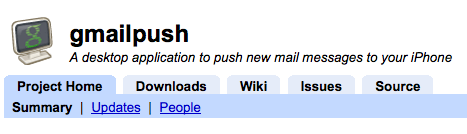
After reading our post, Developer Harry Finocchiaro created a simple application called “Gmailpush” and uploaded it to Google Code for all to use. What is does is checks your Gmail account for new messages and then sends you a text message alert when a new one comes in. Is this ideal? No. But depending on how fast it works (I haven’t tried it out yet), it is a potential workaround for those who really want push Gmail on the iPhone.
But there are a couple of downsides to this. First: The program is Windows-only right now. Second: You’re probably going to want to have unlimited text messages on your plan, or this could get very expensive, very quick. In fact, that was part of the reason why Finocchiaro made the app, “The thought process was that since I’m being charged an insane amount of money for unlimited text messages, I might as well take advantage of it. That being said, SMS messages are push notifications if used correctly.”
It’s fairly pathetic that a workaround for a workaround has to be instituted just to get push Gmail on the iPhone. After all, it is on iPhone competitors like the Palm Pre. I don’t know why Apple and Google won’t just get together and offer it natively. At the very least, Apple could accept GPush and let others in on the fun.
There are other workarounds, such as piping Gmail through Exchange or MobileMe, but those have limits, and not everyone can do that.
As I said, I haven’t tried this out yet (since it’s Windows-only), but feel free to give it a shot.



You can set up SMTP with gmail.
You don’t need any of this.
http://mail.goo...mp;answer=77702
There you go!
OMFG, is it really that easy?
Plus it doesnt send anything to the iPhone for at least 15mins
We all know how to get Gmail onto our iPhones. The emphasis is on PUSH. But, by the looks of your first comment and the use of “SMTP”, you probably don’t know what that is.
Push is when a server sends a receiver—the email client, in this case the iPhone—a notification whenever a new email comes in. This is instead of IMAP or POP where the client has to query the server at a set interval to get the message. This IMAP/POP way means you don’t get your emails exactly when they are sent and your are possibly wasting bandwidth by making useless queries for email when non exist.
Anyway, next time, assume that the TechCrunch writer knows what he’s talking about and don’t act all cool.
Not sure you’re aware that SMTP is the method for sending email. I think you mean IMAP, but IMAP is not Push. Hell, you could even argue (as many do) that IMAP IDLE (which the Pre uses) is not Push.
The iPhone can do IMAP IDLE as well. Not push but very damn close.
Umm… no it can’t. If it did, we wouldn’t be inventing workarounds for workarounds.
Chris, you really need to do some reading/learning before you comment… SMTP does not equal PUSH?
Or, you could set up gmail to forward to number@txt.att.net . Then it sends a text message whenever you get an email.
Smart!
That would actually be more of Push. It looks like his app has to actually check for the emails which makes it not push—all its doing is relieving stress on your iPhone and making your computer do the work. His way also requires you to leave your computer on!
Yes, smart indeed. Let this at least push Gmail into iPhone. But, will the app send a glimpse of the email you receive, I mean a preview (say, a one-liner) of the email? If yes, then it is fabulous. Because, often you can be annoyed after receiving many text messages and checking your gmail only to find regular subscriptions/no-reply messages..
If it were sending you glimpse summaries of all your messages, it wouldn’t be push. But, I tried it and love it. You can use the filters section on gmail to only forward email that fits certain criteria which may help if you don’t want to be annoyed.
I did a quick test: http://netspenc...workaround-test
Oh, thanks! I will also try it.
Haha… by the time GPush is released, Gmail push will work nativly on the phone!
This could very well be why Apple is “dragging it’s feet” and not releasing the app.
Anyway, if you want to go this route, you should just use Prowl which pushes Growl notifications from your computer to your phone. You can set up your computer to check for new mail every minute.
http://www.macw....html?id=127055
i have gmail push working via prowl ( http://prowl.weks.net/) and growl mail notifications http://growl.in...n/growlmail.php
totally legit and working perfectly for the last week.
It’d be great if I could get this on my Android! oh, wait–it came with this.. he he he (sorry, couldn’t resist)
My Nokia has used emoze for the last year to achieve the same. Maybe all you followers of fashion could use that instead ?
http://www.emoze.com/
Really, Google and Apple, can you just make this @$%#$% happen already? If Yahoo! can manage it, how freaking hard could it be?
Maybe GMail is trying to get you to use their web app?
Who needs push email? Instant email is such a time waster. Check your email a few times a day and get back to actually doing work, people!
Yeah, I’m with you. I like the fact that I get quasi-push Gmail on my Pre, but it wouldn’t be the end of the world if I have to check every 15 or 30 minutes.
Email isn’t really intended for instantaneous communication anyway. If someone needs to communicate something urgent, they call or text me. The only emails that I receive are the type that I can wait to process.
Many people rely on push. Especially for business. And those that don’t – it is a nice extra to have. Besides, we are in the 21st century. One would expect that by now you wouldn’t have to manually check every few hours and that you would recieve messages seconds after they are sent. But, alas, this is not the case.
I’ll give you a workaround: buy a Pre! Gmail and Yahoo IDLE push built right in
.
I never liked the ideas of having additional apps to handle Gmail like this. With something like Nuevasync now handling Gmail Push natively without the need to install anything what is the point of any of these other apps, other than maybe avoiding a (IMHO minimal) $25/year fee?
Nuevasync works pretty well. It works with the native Mail app. It doesn’t require any additional software to be installed anywhere, iPhone or otherwise.
http://nuevasync.com/
I use a push solution provided by Nuevasync (it’s an Exchange server): I met them when I was looking for an OTA sync between my iCal and the iPhone (via Busysync, via GCalendar: a long way to go, I admit it, but it works flawlessly). About a week ago, they released a IMAP idle solution to get push email, for 25$/y. I think it’s worth the while, since it actually improved my battery performance: I know my urgent mail would come to me whenever it arrives, so I don’t run Mail.app every 15 minutes or so; as a result, I actually gained some more juice. Push is quasi-istantaneous (seconds- a minute)
Great, great deal.
I use a push solution provided by Nuevasync (it’s an Exchange server): I met them when I was looking for an OTA sync between my iCal and the iPhone (via Busysync, via GCalendar: a long way to go, I admit it, but it works flawlessly). About a week ago, they released a IMAP idle solution to get push email, for 25$/y. I think it’s worth the while, since it actually improved my battery performance: I know my urgent mail would come to me whenever it arrives, so I don’t run Mail.app every 15 minutes or so; as a result, I actually gained some more juice. Push is quasi-istantaneous (seconds- a minute)
Great, great deal.
Check this out: http://netspenc...workaround-test
It was inspired by the anonymous commenter on this post and it works great!
Getting my e-mail every 15 minutes is more than often enough for me. Like others have already mentioned, if something was important, it wouldn’t be communicated via e-mail.
Yeah right! I only ever get emails that are … unimportant. I wish!!!
With the hundreds of email message I receive everyday I can imagine getting an sms for each and every one.
I guess this app is good for people who nobody wants to talk to and only get 3-8 emails a day. Otherwise it’s worthless.
Yeah… I have to agree with you on this one. I just set up a SMS Gmail system and its driving me crazy. I don’t want to be notified whnever I get an email. I like the async aspects of push much more than being notified when a new message comes in.
This system doesn;t solve the async part.
STOP being a slave to your email.
When you’re on the death bed, will you wish you read every email as they arrived?
What percentage of your emails do find are both important AND urgent? I would bet very few.
* Schedule times to batch process your emails.
* Set filters to forward urgent, mission-critical emails to number@yourmobile.text.address (e.g. number@txt.att.net)
* Train people to contact you by calling or texting for urgent matters.
* I haven’t tried it but awayfind.com might be worth looking at for some.
Are people dying to read their email the minute it hits their inbox? If its important, thats what a text is for…otherwise, grow up and just wait…jesus
Come on – it’s simply mail2sms… Try to find something else.
Isn’t this app just as good as forwarding all new incoming Gmail to your SMS email address (number@attwifi.com)?
There’s another workaround MG. Supposedly http://msgpush.com/ turns any IMAP abled email provider into push on the iPhone.
I haven’t used it personally but just found out about it.
It might be more logical for it to send text messages only when the computer is /not/ active. If the person is already at the computer, then there is no reason to have a notification, right?
oh well
jeez I just want a google apps gmail app with push.. Doesnt seem like its to much to ask for.
Nuevasync is where its at. I have been using Nuevasync for approx a year now. They started with offering OTA Calendar and Contacts and now they have just added push IMAP Idle (Please note there is a HUGE difference between IMAP and IMAP Idle) And to anyone who says IMAP Idle is not true push. Please educate yourself on the subject before throwing a comment like that out there.
I have been using Nuevasync with windows mobile phone for approx 3 months now and have no complaints. One of the big benefits I have seen is a large increase in battery life.
Yepp, Nuevasync.com is the shit..
http://nuevasync.com
Push Gmail (or any IMAP) for $25/yr. You also get push calendar (gCal) and push contacts.
No really, go get it.
NuevaSync is REAL push email, not these idiotic notifications telling you to go check your email.
I’m having my gmail forwarded to my MobileMe account; I don’t actually check the MobileMe account, I only check the Gmail account, even when I’m on the iPhone. However, my iPhone will still notify me the moment a new message comes in because it gets a push notification each time a new message is forwarded to the MobileMe account. The only downside to this is having to pay the $99/yr for MobileMe. Oh well.
Couldn’t you just forward your email from gmail over to yahoo, and then use yahoo email and change the “reply to” in the yahoo options to show your gmail address as the return? Well, it would work if you could get yahoo to hold a different reply to in the options menu. Yahoo is broken…….. Better yet, Apple and gmail, just get your crap together and make it work!
I actually do this; Yahoo push is unreliable. I’ve had messages get to me within seconds…or within a day. If you really need push you’re probably better off with exchange or mobileme right now.
Why should Apple care? Yahoo pushes to the iPhone. I’d rather have Gmal, however. Better spam filtering.
can anyone confirm that using gmail filters to forward specific emails to mynumber@txt.att.net actually works? i can compose an sms email message but selective forwarding never gets to my phone. wierd