 There are a few ways you can send out live video feeds over Twitter right now. The most obvious is just take a service like Justin.tv, shorten your live stream URL, and tweet it out. But there’s no real easy-to-use seamless way of doing it. That’s what Camtweet, a new side project of Justin.tv launching today at our Real-Time Stream CrunchUp, wants to be.
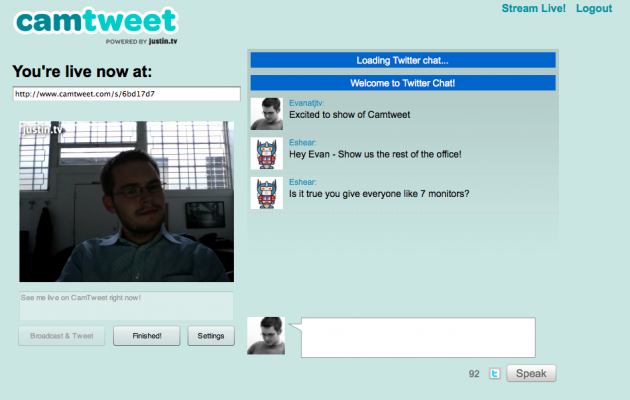
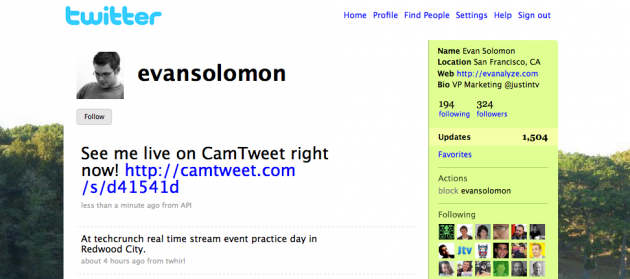
Camtweet looks kind of like what the various photo and video sharing sites that are tied to Twitter currently look like, except it has a big live video box in the center. Below that is the place where you chat to others who are watching in your Camtweet (or Justin.tv — the videos will reside on both) room. And these messages are tweeted out with a link to bring people back to the room. Then when they login with their Twitter credentials and chat with you on the page, their messages are tweeted out too.
The interface is dead simple, and it seems like a good idea if Justin.tv can get some big name Twitter users to use it. We’ll start seeing tweets flying around with links back to hot Camtweet live video chats, which some users may not like, but should mean huge traffic for Camtweet.
The closest thing to this so far has been Qik which does live video from mobile devices and can easily be set up to auto-tweet out when recordings start. The difference is that first of all this is meant for live video from the desktop, not a mobile device, and second, is the aforementioned huge potential for streams to go viral since chat is run through Twitter (with links back to Camtweet) as well. And Qik is being slightly held back by the fact that Apple and/or AT&T will not allow its app (or any other app the sends out live video from the iPhone) into the App Store.
As I mentioned, all of this video will also reside back on Justin.tv’s main site, where it will be archived as well.
Here’s a video of the demo of Camtweet from the Real-Time Stream Event: