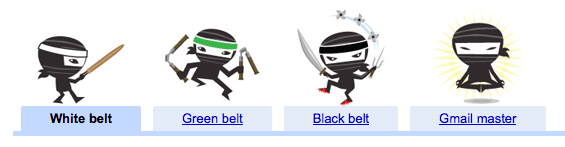
Gmail is far and away the best online email management system out there right now. But a lot of people still use it like a regular email service, never touching some of its power-features that can really help with email overload. So Google launched a new Tips area of the site today to serve as a reference point for how to become what it calls a “Gmail Ninja.”
It breaks the tips down into “White belt,” “Green belt,” “Black belt,” and “Gmail master,” based on your level of expertise. While the White and Green belt stuff is mostly for neophytes, there are some good tips in there that you may have forgotten along the way while using Gmail. The later belts are the ones that contain some of the good stuff though, particularly some of the big keyboard and search shortcuts, that I always forget to use.
Google has also made a PDF version of the list for you to print out and “pin to your wall,” which would undoubtedly draw a lot of ridicule, but could be useful. And if you really want to be ridiculed, if you’re one of the first 1,024 to fill out a form on this site, you’ll get a laminated version of the guide for free. If you miss out, you can still buy one for $1.25, which would bring yet more ridicule.
Here’s an overview of the tips:
- Use stars to indicate a note is special.
- Reply by chat.
- Organize your email with labels.
- Clean up your inbox using “Move to” — it works just like folders.
- Search your mail instead of sorting.
- Archive messages to tidy up your inbox without deleting anything.
- Import your email and contacts from your old address.
- Spice up your inbox with a theme.
- Join forces to rid the world of spam.
- Talk face-to-face with video chat.
- Use Tasks as a handy to-do list.
- Use filters to control the flow of incoming mail.
- Highlight important emails using filters and colored labels.
- Send email from your phone.
- Preview attachments without downloading them.
- Avoid email gaffes with Undo Send.
- Tell your friends what you’re up to with a status message.
- Never forget an attachment again.
- Tell everyone when you’ll be back with vacation responder.
- Nothing says “I’m excited” like a bouncing happy face emoticon.
- Get through your mail faster with keyboard shortcuts.
- Use search operators to find the exact message you’re looking for.
- Filter your email with personalized email addresses.
- See which messages were sent right to you.
- Make Gmail go where the internet doesn’t.
- Quickly add multiple attachments to an email.
- Add “(EOM)” to the subject of one-liner messages.
- Set up canned responses instead of typing the same reply over and over again.
- Click less and watch more using YouTube, Flickr, Picasa, and Yelp previews.
- Use quick links to get anywhere in Gmail with one click.
- Send and archive in one step.
- Bring Google Calendar and Docs to Gmail.
- Send SMS text messages right from Gmail.
- Forget to sign out of a public computer? Sign out remotely.
- Personalize your RSS feeds in web clips.
- Access your mail via https.
- Search for superstars by name.
- Use Gmail on your own domain.


Hi MG,
It will be very helpful for those gmail users who receive and send a lot of e-mails. But for those who don’t spend much time checking their e-mails will not make much of a difference.
I’d like to learn the keyboard shortcuts as that will save me a lot of time going through my important e-mails.
Thanks for the great post.
Mani Raj
Havoc Marketing
Too many unnecessary blog posts by MG. dont post too many posts on silly things. go away!
Does anyone know of a great open source or independent alternative to Gmail? Even if gmail is “far and away the best” do we really want to make it even easier for Google to know everything about us?
if you don’t want people to have access to your email you should run your own mailserver
definitely not, but its still the best I find….I’ve tried many different services but it all comes back to Google.
Sorry, but I trust Google to keep my info secure more than some other companies out there.
That’s why it’s worst…
far and away the best email service – puh-lease! keep your editorial opinion out of your stories.
Yes… puhleeeze. If it was the best, everyone would be flocking to it like fanboyz to the iPhone.
The fact you can’t sort and there’s no folders are very BIG shortcomings. Gmail is a cult. Those who are in it think its the second coming of Jesus.
Others know to stay the hell away from it.
Folders are outdated and useless in today’s world. You only consider them big because you are used to them. It’s time to adapt and embrace the new technologies.
Tell that to the QWERTY keyboard.
Except that sorting and folders are bundled into labels, which allow you to sort specific e-mails into multiple folders. And yeah, I get a bunch of spam all day, but it’s automatically dumped into a spam folder, which I can clean out with one button. I get maybe one spam message a week in my inbox, and it’s easy to send to the correct place.
Honestly, I’ve used other services and I have yet to find one better.
That’s because Labels > Folders.
I tried to explain to my boss, and the only way I got through to him was this.
Me: Okay, so you have all your email divided into folders.
Him: Yeah.
Me: So you have here a folder for your clients, and another folder for vendors.
Him: Yeah.
Me: So where do you put an email thread where you, a client, and a vendor are having a conversation?
Him: …
Name one better?
hotmail. at least I can sort my emails and the search feature is pretty good. also, I dont get as much spam.
HAHAHAHA
umm lol.. Are you high?
gmail hacker:
(1) use gmail for its superior spam-filtering;
(2) avoid gmail’s ad-targeting when opening your mail
How? Get one or more gmail addresses (mebbe even one for your domain) and forward them elsewhere!
You’d rather have completely random, meaningless ads?
I’m a Gmail master. Just saying.
Me too. Straight Up.
Same here
lol
We’re in the Kool Klub!
What I’ve always wondered about Gmail was how much Google actually knows about you. It seems a great product. This article is very helpful. When do you want to use Gmail and when DON’T you?
ron@chinagadgetland.com
wow, we’re ninjas….
I guess I’m all ready a master.
Or a huge dork.
Gmail for your own domain is incredibly useful.
Gmail for own domain: I believe that is a paid service right?
I believe so. It was free a while back, but in its quest to avoid doing evil Google made it a paid service somewhere down the line, bundling it up with Google apps for enterprise.
OK…. is there any free email service for personal domains???
Gmail for your own domain is still free. You just need to own the domain. you can buy a domain from Google for 7 euro if you want.
Yes, still free: http://www.goog...roup/index.html
nope, free
lol am a Gmail Master tooo
Reminds me of Onion story: “Ninja Parade Slips Through Town Unnoticed Once Again”
In 5 years of email rampaging, I have only used 20% of my Gmail storage space. Gmail SLAYS – A lot of people don’t know you can use it for company domain.
Then, of course, there are those that sit around making snide comments about the Gmail Ninja program for the sole purpose of baiting the Gmail Masters. I guess those would be the Gmail Master Ba–but this comment’s already too long.
Gmail master is what i am! …already!
erm….looks like i’m at the green level at the moment..btw..Gmail rawks!!
I bet MG works for Microsoft. The best email service I ever used was email, the kind you compose and send…its like writing a letter and putting a stamp on it. All the fluff is just fluff, we don’t use it.
What turned me on to Gmail was the 1GB of space. Other than that I would still be on hotmail.
MG shame on you.
well my cats love fluff.
I wish they finally added an option to go without threads. I want to see a new mail, not a new thread and know exactly, how many emails I have to read. All in all, threads are nice, but as an addendum not as a mainstream that you cannot change.
*Deep Sigh*
I’m a Yahoo Mail Master. I can delete 5000 spam messages a day in under 20 minutes.
I can delete unlimited amounts of gmail spam with one click…20 minutes? too long.
Yahoo mail is great for people who like to delete. I use to sit there and delete spam all day. I got so tired of it and switched to gmail. Now my hands are getting fat from not deleting anymore.
I use Yahoo email and their spam guard has become really good. Now I get may be one or two spam emails per week. As good as gmail. Most annoying thing about gmail is threads. Swiching between multiple emails in a thread is not intutive and very annoying. I much prefer yahoom ail interface.
Also you can click all your spam in yahoo email with one click. Not sure which yaahoo mail you are talking about
The gmail innovations continue to come and every time they seem a little wackier. I can try to become a black belt by Google’s standards but will take a while…lol
If your planning to have a yard sale we can help you sell your unwanted treasures.
visit us at http://www.verblist.net
ok. well how about micro/blogging from address box? ….
1. @t or t: message would Twitter, of course
2. @ff or ff:message ffc:comments or ^ comments would post to FriendFeed
3.@b or b:title ^ message would post to Blogger
4 @fb or fb: would post to Facebook …and so on ….. is it difficult? :] ………. wp: tu: id: pl:
at teh same time, i’d like to be able to type name@ – meaning gmail by default , g:name , or g@name, or reverse :] ……. all in the address box ..
example – micheal:g hi how you doing^ will see later t: fb: b:
meaning – I am sending “hi how you doing. will see later” to michael@gmail.com and also posting the same to Twitter, Facebook and as title and post body to Blogger .. .
… ….. is this all that difficult?
I rather just move to google wave and get rid of gmail
Wave’s not really made to replace gmail. I’m very excited about it for project management though.
I’m a Gmail Master! Yay. I love Gmail.
I love the title of this article
Hell yes, this is awesome. Pity you don’t get a logo or so on your gmail page.
I think labels (or folders – though not in Gmail) are both outdated. I have been using Gmail since it was invite only (sold a few invites back in the day).
I tried with labels to begin with, but got bored of it pretty quickly.
Both of those are outdated because of the excellent search that I get in Gmail. The only thing I do is move messages from inbox to Archive. Other than that, the search takes care of everything.
By the way, a huge number of the ‘tricks’ are from Labs. I guess Gmail is not getting enough usage of labs features, and so they cannot decide which ones to make mainstream – and so to get people to use them more, they came up with this
Wow, I do 5 of the 7 items that would qualify me as a ‘Gmail Master’ — I feel like a super geek now. Is that a good thing?
Can I get BING search from Google Labs in mah Gmail?
sure! … just do / and bing:search term i: m: w: in the address box …. ……… 4 tabs will open for you – search results , image search results, map results and .. yes, weather report …. because if you did e: , or eq: .. it’d bring you earthquake report related to your search term … …. I mean, is this all that difficult ??? …. are we sleeping at the keyboard ??? :]
I’ve been what you call a “master” (or more) for awhile now…no great shakes. I found most of those extra “features” real yawners, and ended up not using them. (Anyone use snakey?) I have several GAfYD accounts (for myself and clients) and find, now, I’m walking away from them, slowly. I’d say, don’t put all yer eggs in one basket.
Dis is racist !!!
Labs features are great and I cycle them from time to time as the need arises. One thing I have noted is that you give up some degree of stability when using the Calendar, Documents, and arrangement Labs features. i.e. something seems to take focus in Calendar and you end up forwarding around 3 years into the future or the Documents hides a deeper issue (usually temporary) in file creation, or the chat windows are obscured.
Google is known to focus on the user perception in the application. As you expand the number of Labs enabled in the Gmail interface the combination and compounding for citizenship testing and regression are probably outside even the beta charter applied to Gmail itself.
I’ve always wanted to be a ninja, and now, the opportunity has arisen. Sweet! Will be referencing post on my blog come Friday. Thanks.
Labels don’t work as well as they should. Even when you have a message labeled it remains in the inbox which makes (not just like folders). Also makes the inbox a bit less organized. Everything else is great.
you need to archive it, or move it while applying the label
Doesn’t the iPhone (and other smartphones) + laptops largely obviate the need for web-based email? I use gmail as my primary home email account for the spam filtering and free IMAP support, but I almost never use the web interface because it can’t aggregate multiple accounts (home, work, etc). I would have to use gmail, OWA, … My think-client & phone bring everything together.
Are there ways to bring in multiple sources already available that I’m not aware of? How does everyone else solve the problem?
We use Gmail (i.e. within Google Apps) for our law firm. I am still at the “white belt” stage, but the folders and labels features are quite powerful. Best of all, Google Apps is built on top of Google’s search technology.
Yes, I was a ninja for a few weeks, then I realized I was 52 and swapped over to the cartoon looking theme
i r maztah! wataaaah!
Been using gmail since invite days (yeah, sold a few myself… still have over 50 invites!) and I’ve dropped all other services since. Best thing I did! I even had gmail checking my yahoo mail for a while (filtering out all that spam of course) and just recently decided to trash my venerable (1993) yahoo account. I use a lot of the google services (analytics, maps, doc and others) and am completely onboard with their philosophy. ^.^ Yeah, you can call me a Google-cultist.. and I’m happy for it. My life.. is easier to manage now.
Yahoo Mail does an awful lot of that without all the macho hype. I will stick with Yahoo.
What about if we prefer Pirates to Ninjas? Anyway, this is useful, thanks for bringing to the attention. I’m trying to convince more people of the benefits of GMail and this will be very useful
MG Siegler, how much did u get from Google for this post ?
According to that, I’m already a gmail master using Gmail for my domain.
Indeed, I wanna switch back. There’s a missing link between your gmail account and your gmail for your domain account.
Sometimes, Google manages to make me smile. Today, they’ve taken a mundane tip tutorial on managing G mail more efficiently and converted it into a humorous lesson in saving time.
Google provides a daily Google tips gadget for i Google. Here’s a sample tip of the day: If you use gmail , you may have noticed the headlines that appear at the top of your in box. These web clips show news, blog posts and other.
Last week, Google launched Tip Jar, a selection of ideas for saving money and managing finance which uses its Moderator technology to promote popular and useful ideas. It’s an interesting concept which would work well if the entire.
How are the multiple attachments supposed to work? In windows I open the dialog for file selection, but the multiple selection with CTRL doesn’t work…an I doing anything wrong?
Hi MG,
“Gmail is far and away the best online email management system out there right now.”
This is really subjective and depends from person to person. Such an absolute statement seems completely wrong to me.
Good article otherwise, but I don’t think most people in the world agree, if you compare the user base of Gmail with others.
Regards,
Anurag.
Hey MG Siegler!
I just wanted to say, that I have been using Hotmail since 07 and I loved it back then! But after reading TC for only 2 days (which was about a month ago) I was convinced that Gmail is the way to go! I noticed that a heck of a lot of your articles are about Gmail’s cool update–and now I know why! I absolutely LOVE Gmail now, it’s much more innovative imo! Now i’m just another google fangirl (tho sometimes i wonder if google really is skynet and we’re even more vulnerable now that the big G has all our lill secrets in their database!
)!
Nevertheless, I don’t know why anyone would still use anything other then google–and yes, I do use Ymail for my mom’s sake(she’s not good with organization, so I have to clean it on a regular basis) so the only feature Gmail lacks is the tabbed emailing, but i don’t really miss it much!
That’s a pretty long comment huh?…:P
I feel that instead of the ‘GMail Master’ we should have been introduced to GMail Miyagi to assist in putting the wax on our email system! I’m here all day ha
So, gmail has been around for how long? And google is in what core business? Is it *search*? Why the fruck can I not search for “word” and get emails with “words” or “wording”, or “worded”? To be blunt, why the fluck does search within gmail suck a$s pimples? It’s broken! It would be *easy* to fix! Fix it! Aurgh!
Hoo ha, go Google go.
Anybody know if the SMS function actually works. I can’t get it to work. I have tried following the directions, but for some reason, it doesn’t even appear on my Labs page as one of the myriad of possible utilities.