 I don’t know about you, but when I look at an online map and see outlines of buildings, I get a little frustrated. I want to be able to click somewhere, and find out exactly what’s there. And with a new feature in Google Maps, you can do just that.
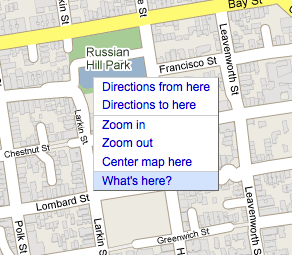
If you right-click somewhere on the map, it will bring up a menu with a bunch of options. The new last option allows you to select “What’s here?” And if Google knows — which it does for a lot of places — it will pop up information about what is actually at the location you’re pointing at. If it knows the name of say, a store that is there, it will give that to you. Otherwise, it will give you the address of where you are pointing.
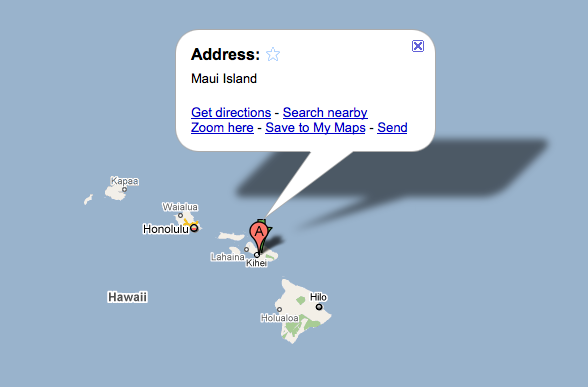
And if you’re zoomed out, it works too. The example Google gives is that if you’re looking at a zoomed out view of the Galapagos Islands, using this feature can get you the name of each individual island. Same with Hawaii, as you can see below.
Sure, in some cases you could find out what was at certain points on a map previously by switching to satellite view, or better yet, Street View. But this is much easier.
And this technique, which is called “reverse geocoding,” has been a part of the Maps API for a little while now, according to Google. So you can use it on your maps as well.