Google has launched a bunch of new features to Google Books in an effort to promote interactivity between readers and the online books.
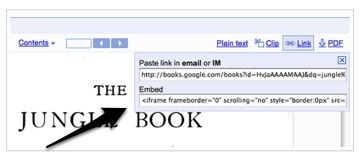
1. Embeddable previews of books: This new feature allows you to embed a preview of a full view or partner book in your websites or blogs, just like you would with a YouTube video. You can also copy and paste a url link in an email to share the book with your friends.
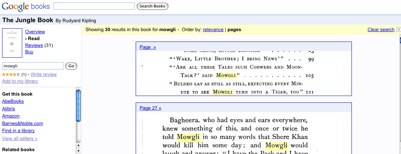
2. Ramped up in-book search: For public domain and partner books, Google has made the ability to search for a term within a book a little bit more user friendly. When you search for a term on a book, you can now see an image from the part of the page on which it appears. You can also click on those images to navigate directly to the pages inside the book. And you can filter search results by relevance in addition to page order in the book or magazine.
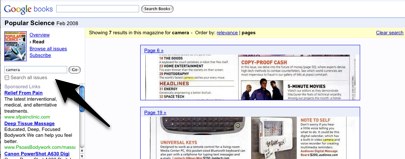
3. Thumbnail view options: You now have the option to click on the thumbnail view button to see an overview of all the pages in a public domain book or in a magazine.
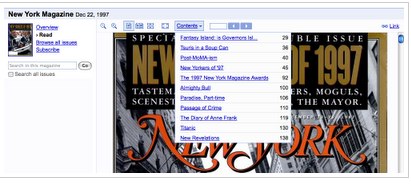
4. Contents drop-down menu: Via a contents drop-down menu, Google Books will now allow you to jump to chapters within the book–or articles within a magazine (the same technology supports the mobile version of Google Books).
5. Plain Text Mode: Google’s made it easier to see the plain text versions of Google Books. The tool bar now includes a ‘Plain text’ button to see the HTML version of the text, which Google says is especially useful for visually impaired users, who can use this format for text-to-speech and other types of software.
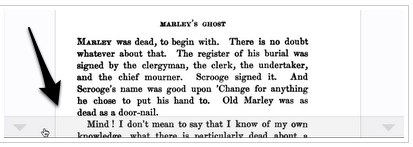
6. Page Turn Button and Animation: In addition to scrolling through the book, you can now also click the page turn button at the bottom of the screen. Google also has implemented an an animated line to move with the page turn to make it easier to keep track of your location in the text.
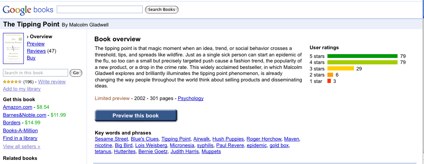
7. Overview Page Overhaul: Google has added an assortment of data about the book on its overview page, including reviews, ratings, summaries, related books, key words and phrases, references from the web, places mentioned in the book, and publisher information.
Last October, Google signed a $125 million settlement with the Author’s Guild to pay authors for copyrighted works it has scanned and made available on the Web through its Google Book Search project. More than 7 million books have been scanned by Google so far, a large portion of them out of print. The Settlement, though the site is up and running, is still up in the air, facing an antitrust investigation by the Department of Justice. And the settlement has draw its fair share of critics, including Jeff Bezos.