We’ve been eagerly awaiting the public beta launch of Fotonauts’ encyclopedia for photos, Fotopedia. TechCrunch Editor Erick Schonfeld reviewed the preview of Fotopedia that was released a few weeks ago. A startup that debuted at TechCrunch50 last year, Fotonauts turns your photo albums into collaborative Web pages about different topics and subjects. Fotonauts, which was in private beta and will officially be known now as Fotopedia, is a desktop photo client which helps you tag, organize, and share your photos in a live feed.
The brainchild of Jean-Marie Hullot, former CTO of NeXT Software and Apple’s Application Division, Fotopedia was born when Hullot was helping his children with reports for school. He was using Wikipedia for background information but couldn’t find a comprehensive site that provided relevant photos to Wikipedia entries. Thus the idea for Fotonauts was born and entered private beta last year. But Hullot and his business partner, Gilles Samoun, wanted to create a web-facing product, which will serve as a complete photo encyclopedia, alongside the desktop client that focused more on the encyclopedia part of the concept.
Fotopedia is supposed to be a cross between Flickr and Wikipedia, serving as an archive of “images for humanity.” The beta launch of Fotopedia lets you to turn any photo album from your Fotopedia desktop client into a Web page entry on Fotopedia, complete with tags, associated Wikipedia entry, and Google Map information where available. You can also add relevant photos from other Fotopedia albums and from photos licensed under creative commons on Flickr. And you can post your album on Twitter, Flickr and Facebook.
Web albums can also be built collaboratively. Photographers can add photos and other data on specific places and topics, all tagged and organized by Fotonauts. And as in the private beta version, the photos in Fotonauts are synchronized with existing photo services like Flickr and Picasa.
A new feature that was added lets you choose if you want your album be presented for consideration for the Fotopedia photo encyclopedia, under the corresponding index or title which you file it under. So if you create an album from a trip to Bali, you can be a contributor by submitting the entire album or certain photographs to be considered for the Fotopedia entry on the encyclopedia entry for Bali.
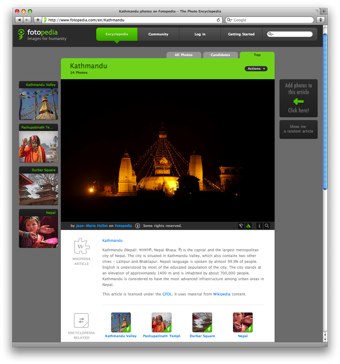
On the Fotopedia web site, anyone can access albums for a variety of topics, places, people and more. There are over 150,000 high-quality photos already, organized into 4,501 “articles.” Each article is a Web slide show, along with the associated Wikipedia entry and Google Map. Each photo contains a good amount of metadata making it search-engine friendly. The encyclopedia tab on the site lets you access a indexed archive of photo albums on topics like geography, history, art and more.
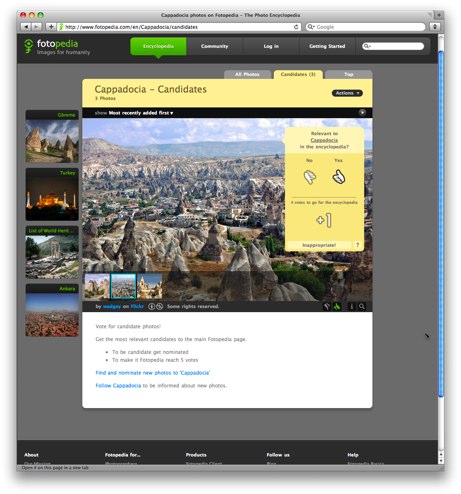
It’s important to note that in order to be a contributor to an encyclopedia entry, you need to have downloaded the desktop client. But users who don’t have the Fotopedia desktop client can also use the “community” tab on the site, to view albums, vote for photos to be included in encyclopedia entries, comment, and follow users, pages or albums. A photo officially enters the photo encyclopedia by reaching 5 positive votes. Users are allowed 50 votes every day to decide which photos make it and which ones don’t. Users can also create widgets of albums to embed on on blogs, web sites and social networks. Users can pick single photos or complete albums to add to a widget.
Here’s an example of an embedded widget for the Bali entry:
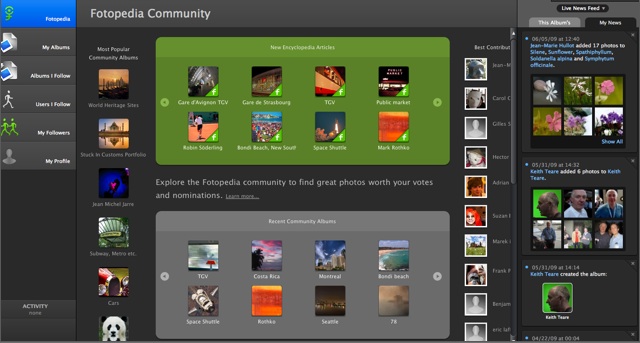
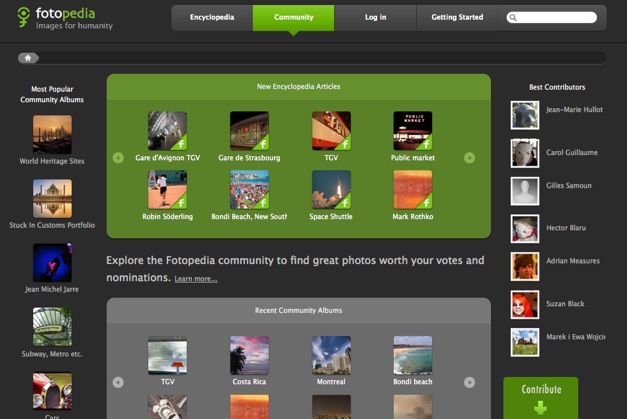
Below are two screenshots, first of the desktop client, and second of the Website. Both are very similar, except the desktop client has more features, including a photo stream on the right-hand columns of all the people and albums you are following.