
Google Docs has been around since 2006, offering a powerful and free alternative to Microsoft’s dominant productivity suite. But for many people, it remains something of a novelty – it’s there, but they don’t use it regularly. This is in part because of the inherent security issues with Cloud-based services, which make businesses hesitant to upload their confidential files. But the biggest reason? Google Docs and Microsoft Office simply don’t play nice.
OffiSync, a new plugin for Microsoft Office, is looking to change that. The application, which supports Word, PowerPoint, and Excel documents, is launching in a private beta (you can request an invite from its homepage), with support for Office 2003 and 2007 on Windows. Mac users are out of luck for the time being.
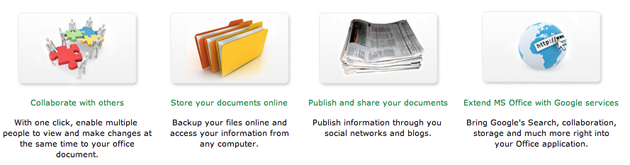
There are already a few options for syncing files from Microsoft Office with Google Docs, but these typically involving syncing your ‘My Documents’ folder rather than the individual files, and aren’t as deeply tied into Office. Alongside basic file syncing, OffiSync also integrates a number of features from Google Docs to actually improve Office. One of these is integrated Google search, which allows you to search through all of your Google Docs files directly from your Office toolbar.
The service also has support for Google Docs collaboration, though it isn’t as complete as I’d like. Using OffiSync, multiple people can edit the same file without having to worry about overwriting each other’s changes. But if you want to see real-time edits (which is one of the more powerful features of Google Docs), you’ll have to use the browser-based interface. Founder Oudi Antebi says that real time edits are in the works, and will be included in an update over the summer.
Even Google, while not directly involved with building OffiSync, is optimistic about the service. Google Docs product manager Jonathan Rochelle says that his team thinks the app is “great”, and that it will appeal to a large audience, though he notes that the app is “still pretty early”.
But even if it works, it might not be so easy to make money – a company called DocSyncer with a similar premise entered the Deadpool last summer. OffiSync will be free for individuals, with plans to release an enterprise version in the next 6-9 months, which will help large businesses work in a mixed environment. Of course, OffiSync is going to be racing against the clock to some extent, as Microsoft has made its intention to tie Office to its own cloud services clear. Still, Antebi is optimistic about OffiSync’s chances, explaining that Microsoft’s offerings will likely only work for the newest versions of Office, while OffiSync will work with older editions that the vast majority of computer users already have.
If you primarily work with PowerPoint slides, also be sure to check out SlideShare’s Office plugin.


The design is quite similar to Mint.com especially the background and the main menu.
Such a nice service but why didn’t you try to come up with a different style?
Hah – my designer pointed out to me how many people ask firms like ours to make it look like mint.com. LOL. I guess they took it a little too literally.
Nice service, not a wow, but still.
Definitely seems like something i can really use.
But, I must say, the video is just too long and somewhat boring.
Docverse?
http://www.docverse.com
As an Office user, I think this is great. Microsoft (and others) offer similar free and paid services that integrate nicely with MS Office (but use other back ends other than Google docs). The more the merrier.
I think this is another validation that Microsoft’s strategy of Software + Services rather than just cloud services alone is right on the money. Some solutions are best as just a service, some are best as just software, but MOST are best as an integrated form of both.
I love the fact that I can have the best of both worlds – Office and Google with OffiSync. Thank you!
This service is doing what Microsoft should be doing. Thats how you know that your a little behind the curve. Google has publicly been keeping Microsoft in its cross hairs for some time now. This lowers the barrier of entry for those who are weening themselves off of the “MS Office” only environment.
Jason, how is Google Docs a powerful alternative to Microsoft Office? It works well for basic tasks but how can you compare Office to Docs? Docs is the third cousin twice removed version of Office and might work for basic word processing, but you can not claim that it is on the same caliber as Office.
Even open source people admit that Open Office (which is a lot more powerful than Google Docs) is at least two versions behind on productivity and user interface design.
I would consider Zoho Writer as an alternative and even it has a long way to come before it can be compared with Office.
It’s a very welcome addition to finally see this through. Perhaps one day Microsoft Live Office and Google Docs will merge?
(I highly doubt it)
its very nice post.i hope i will get more information from here
LOL…you’ve GOT to be KIDDING!!!
Where did you get the Mumbai-Hinglish demo narrator?
Yeah, I’m going to trust my private info to a cloud being pierced by foreign-tongued magic-carpet riders!
Jason Calicancraponus is a sleazebag promoter of Webcrap.
Oh, sorry for that. Let us try to find a similar software written by some white-trash.
“A similar software”?
Go back to your thatched hut and learn English.
nth fantastic, hibernater does much more and in a better way.
http://www.hibernater.com
As an executive who runs an enterprise salesforce for a software company I can see real business value in this application. The ability to end spreadsheet hell with a collaborative approach without the learning curve a new application is invaluable.
As I side note I am embarrassed by these racist comments people are sending about the speaker’s accent. All I can say is that there is a good reason why a new immigrant to the USA is 80% more likely to become a millionaire than someone who is born here.
At oneDrum.com, we’re about to go live with real-time sharing and editing between MS Office users.
But we’ve also got a working prototype for real-time between Google docs and MS office, so as I type in Excel your GDocs spreadsheet updates straightaway, and vice versa.
onedrum, looks cool…
btw thanks justin, tried hibernater, it works not too bad, more improvements to be done!
The big difference between oneDrum, DocVerse and other services is that they use their own backed system to sync files and show content on the web…. Offisync (so it seams) is fully dependent on Google Docs and simply plugs in Gdocs functionality into MS Office.
Since I don’t trust anybody except for Google for my online content it sounds like a much better solution.
Can’t wait to get my download link.
its looks like DocSyncer is coming back from dead pool. Am I right?
http://www.tech...h-the-deadpool/
They have competitor http://www.upriseapps.com/
Very very cool. I love MS Office Live [1] because of its seamless integration with Office 2007 Suite. Now Offisync provides same integration with Google Docs. A dream come true.
My only concerns are about how Offisync handles my credentials during the authentication phase. Is the authentication channel secure?
Has anyone performed security assessment of Offisync? If so, I would love to hear from them. Thanks!
1. http://workspac...office.live.com
The software is not available.
They send me an email with the following text:
“Thank you for signing up for the Beta of OffiSync. We got an overwhelming number of registrations and are working around the clock to make the first beta available in the next couple of days.
Thanks for being patient with us
The OffiSync team”
Assuming you have the Office suite why would you do this instead of using the far superior Office Live service?