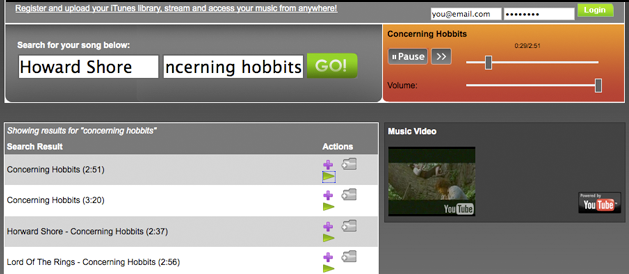
Audiolizer is a new music streaming service that lets you put your iTunes library in the cloud. After uploading your iTunes Library database file, the site will automatically compile a list of links to every song, allowing you to access your favorite music when you’re away from your home computer. Users can also manually search for individual songs.
As with a number of streaming audio sites, Audiolizer makes use of the YouTube API to serve its music (this ostensibly makes them less of a target for lawsuits, as they aren’t hosting any music). The system seems to work fairly well, through the presentation is strange – the “music video” shown alongside the player is only thumbnailed sized for some reason. You can still access the full sized video by clicking on the thumbnail, but it’s a bit odd.
Audiolizer would have been a great site if it came out at the beginning of this year – I love being able to have my iTunes library in the cloud. But SonicSwap does almost the same thing with a nicer interface. And then there’s LaLa which effectively makes both services obsolete: instead of using YouTube as a source of audio content (which can sometimes lead to incorrect results), Lala has forged deals with all the major record labels, so the majority of your music in streamed at a reasonably high quality bitrate with few false matches (check out our previous coverage for more on the cool service).
Fortunately, it sounds like Audiolizer is more of a side project than a full-fledged startup – the founders say that they developed the site in a week (they’re currently University students in Computer Engineering and Business Management in Canada).
Also, as an amusing sidenote, a TechCrunch user named Clayton came up with the domain name Audiolizer.com in a comment back in October. Looks like someone took his suggestion.