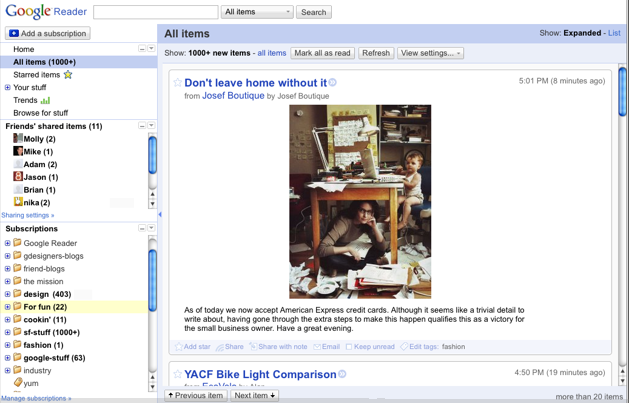
If you use Google Reader as your primary feed reader, you might notice that it has a different look today. The corners are less rounded all the drop shadows are gone. Overall, it has a more featherweight feel, and the sidebar sections are now collapsible. It’s a bit faster too.
Shared content from friends is now given more prominence. (FriendFeed envy, perhaps?) You can hide the counter telling you how many posts are unread, in case that just makes you feel like you can never keep up with everything. Sometimes you just don’t want to know how much you are missing.
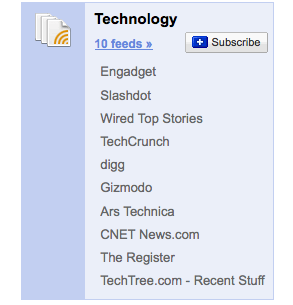
But the biggest change is one hidden in the browse tab. It will generate some feed bundles for you that you can add all at once. And if you select “browse all bundles,” you can see all of the bundles. These are algorithmically generated, unlike in the past when bundles were edited by hand. You can find TechCrunch in the Technology bundle.


that,s good
No, I don’t like the new skin.
that right
i don’t like it too !
GMail themes a few weeks ago and now this… I’m happy to see Google focusing on the UI of their projects.
Am I the only one who hates it? They enlarged the left pane wasting tons of white space for no reason (iGoogle anyone?). The font is now huge so less fits on 1 screen. Overall I think it’s horrible.
I’m not a big fan either… I find the new font harder to read (or scan which is a critical aspect of the reader).
As for the left pane, it can be hidden: click that narrow boarder with the arrow in it.
FINALLY.
Great new look…
however, it’s still missing some much-needed features (subfolders) and has a lot of bugs!
When they will add themes, the first thing I’ll do is to switch to the old look cause this one is too ugly for me!
Great update, but I’m still waiting for subfolders, and a kind of Gears for iphone.
Reader is still missing a key feature: a one-click ability to save a post, yet still keep it in context with the feed (comparable to Blogline’s “pin” feature). You can “star” posts to save them, but then the only way to see what you have saved is to click on “Starred Items” which shows you every post from every feed in one big stream. I find Blogline’s pin feature to be indispensable to how I handle my feeds.