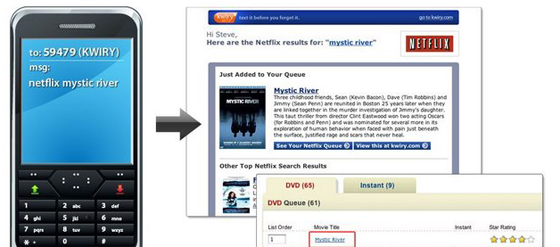
Kwiry, the site that lets you send SMS message reminders to yourself, has released support for Amazon and Netflix that will allow users to add to their wishlists on the go.
To use the service, users text the name of the service they’d like to use, followed by the name of the movie they’d like to rent or the product they’d like to buy. For example, I could text “netflix Fellowship of the Ring” to have the movie added to my Netflix queue. Similarly, texting “amazon iPod Nano” would add the product to my Amazon wishlist.
Kwiry launched last December as a note taking service mainly designed for the millions of people who use “dumb phones” that don’t do much other than send text messages. To use the service, users simply text their message to K-W-I-R-Y (59479). In addition to the Netflix and Amazon functionality, Kwiry also allows users to update calendars and conduct searches, with results delivered through Email, RSS, the main Kwiry page, or a number of widgets.
We originally criticized Kwiry for being a little pointless – why not simply jot down a reminder instead of texting it to yourself? However, its evolving feature set makes it a viable tool for users who may not have the devices (or the expensive data plans) that let them browse the web on the go.