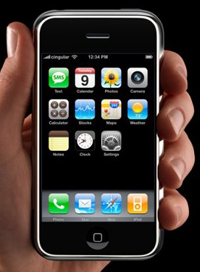
Copy and Paste Finally Coming to the iPhone. Sort Of.
by Jason Kincaid on July 28, 2008

Copy and Paste has long been one of the most requested features on the iPhone, and its continued absence has been both frustrating and confusing for many. How can it be that the iPhone - running a finely tuned version of Mac OS X - is unable to perform functions that have been included in text editors since the 80’s?

MagicPad, a new application from Proximi that is currently waiting for approval on Apple’s App Store, is finally making copy and paste a reality on the iPhone. The application is essentially an improved version of “Notes”, and features rich text editing, allowing users to modify font type, size, and color. And best of all, it allows for copy and paste. Users need only drag their fingers over text to select it, and adjustments can then be made on a menubar that appears above the onscreen keyboard (see the video below).

Unfortunately, MagicPad isn’t going to bring true Copy-and-Paste to the iPhone, as there will be no way to copy text between applications (say, from Safari to the Mail client). You’ll be able to copy and paste between multiple notes within MagicPad, which will make it a step up from Notes, but in reality it serves as more of a proof of concept than a solution.

So when will we finally get true, systemwide, copy and paste? Earlier this month, Apple’s Greg Joswiak finally commented on the issue, explaining that it was on Apple’s to-do list but that it hasn’t been a priority. The lengthy wait is almost certainly due to issues with creating an intuitive interface for copy and paste on the iPhone’s buttonless touchscreen. MagicPad’s interface looks like it works well enough, but it takes up a large portion of screen real estate and is less elegant than what we’ll probably see from Apple.

You can see another proof-of-concept for copy and paste on the iPhone here.

Thanks to Apple iPhone Apps for the video.

First Look - MagicPad from Apple iPhone Apps on Vimeo.

Responses

Trackback URL

Comments

This is a step up, at least we are getting somewhere. I never thought that I would really need the copy and paste feature. Then I realized how much I do need it when I am having to write down email addresses or addresses in general. Thanks for the info.


apple could SO easily put that into safari(and every other program). They could even make it an option in settings if people didnt want that extra bar above their keyboard. I’m dying for copy paste on my iphone. To the point where I still carry my crappy WM phone on sprint becuase I cant do what I need to do


Maybe it is on Apple’s To Do List, but since there’s no To Do List app on the iPhone, they simply can’t track it.


Interesting concept, but that guy talks to fast. Its your app. Be proud of it, and talk slower!


Finally the long awaited desire!


where can I get a Invitation Code?


Interesting that something that simple isn’t on the iPhone…. hope the app gets approved!


Perhaps asking the obvious…but is the reason that no real copy/paste works on the iPhone is lack of background applications? Meaning, there is nowhere to keep the memory pointers?

Wonder if the upcoming apple messaging service could be a solution, have an app send (to the cloud) the copy, then the messaging service delivers it to the app in a window (the paste).

Probably more to it….speculating.


Thank God. Now if we can get Flash, fix the battery life and add video we’ll be all set! @astrout


So what you’re saying is that cut and paste *isn’t* coming to the iPhone.

You heard it hear first, folks.


what a non story


This solution is flawed though, you lose the ability to easily select a specific spot in the text (the normal hold and drag behavior brings up the magnifying glass and then you can slide around to the exact spot you want). Without this default behavior the selection behavior is not easily accurate (hence why in the demo when he selected MagicPad he actually selected ‘ MagicPad’, including the space before the word).

That’s why it’s taking Apple so long to implement. Perhaps a single finger drag could enable the position magnifier, and then adding a second finger begins a selection?


anyone else think the captcha requirement was weird?

i suppose maybe the iphone cant send HTML (or rich text) email, so the email gets redirected through magicpad’s servers, and the company is concerned that spammers will figure out how to game it.

not a big deal..but interesting.


I’ve always thought that the reason copy and paste has never been implemented is that it will only serve to highlight the sheer ridiculousness of being unable to run multiple applications at once.


How Apple has no copy and paste is beyond me. They built such an unbelievable piece of technology that does not have the most basic business function…Apple, if your reading this, get your ACT TOGETHER and make copy/paste available!!! WE NEED IT!!!

Beyond battery life, this is a punch in the stomach from when I converted from the Blackberry Curve…If the copy/paste feature was available the iphone would be perfect.


I want to clear up some confusion about the CAPTCHA. The iPhone’s built in mail app does not allow rich text emails, so we had to create a server to let people get their notes out of the app. The CAPTCHA is there to prevent spammers from using automated tools to send email through our servers. This is the same as when you use Google Maps to send email, for instance. If the iPhone’s mail app ever becomes able to send rich text, we will shutdown the server because it will not be needed anymore, and there will be no need for a captcha or an intermediary server.


Whoo hoo! Iphone news. Here is a story that will really knock your socks off…. http://www.gothamtechminute.blogspot.com


Where is optimizing the battery life on the priority list?


It’s a poorly thought out text editor. It’s not a copy/paste app since you can’t copy BETWEEN the apps. It’s totally useless.


This is actually a really cool app, a lot better than most of the crap in the app store. I don’t know why you guys are complaining. Yeah, it’s not as cool as if Apple built in native copy/paste support, but this text editor looks A LOT better than the Notes app which I already use regularly.

Good job guys, maybe Apple will see this and decide to finally do something about it.


great app!! this guy talks like fez (tha 70’s show)


@Mike you can’t seriously believe that apple can’t keep one little global memory register one level above the sdk apps to implement copy and paste. Sending things into the cloud for a clipboard feature is absurd.
@Dave You do ANYTHING cross app let alone copy and paste, it’s a limitation of the SDK. Each app it’s in it’s own little confined space.

The hold up as Jason mentioned has to be usability issues, cut and paste is a complex user interaction and working something out that is intuitive to a point where someone doesn’t have to RTFM is difficult. I’m positive that there are multiple working implementations put together by the iPhone team at Apple being kicked around internally. Until they release, we’ll keep seeing blogs talk about Cut/Paste for the iPhone as if it was some sort of holy grail.


At Borange, Inc. we’ve been working with the iPhone Address Book quite a lot. It’s one place where iPhone applications can share data.

To get something like a cut/paste going between their apps, interested third-party developers simply need to agree that the text to be copy/pasted will be written to and read from the “home address” field in the address book entry for “Dr. Clipboard Hack”. There everyone can get to it.

I’m half joking, of course; but it would actually work for any participating apps. We could cut and paste graphics using the photo album and the same approach.

It’s interesting to me that some of our most private iPhone data has these very ‘public’ APIs. Why, for example, do I get a warning that says “Application X would like to use my location”, but I don’t get a warning that says “Application X would like to look at my photos”?

iPhone food for thought.

Mason Lee
Borange Inc. co-founder and CEO
http://www.borange.com


This is promising! At least now we know for sure that it is possible to do. Just need to make that final step to make it work between applications.


If they do get around to it, they’ll somehow manage to wire-up Cut/Copy/Paste onto the ONE button.


Alternative Copy/Paste UI Concept: http://www.raizlabs.com/blog/?p=304
Just a concept but in theory this type of UI could be universal across the phone.


Good news, but I think this should have been there in the first place.


iPhone - a crippled p.o.s. for Mactards and fashion lemmings.


occasionally i get quite tweaky about not having rushed out and bought an iPhone. this is not one of those times.

/kisses his N95 and it’s included (real) copy and paste function


Its debatable whether copy/paste is really a good design pattern to introduce onto something as clean and intuitive as the iPhone. This is typical of desktop geeks thinking that everything that works in the PC world should be ported over one-to-one in mobile.


nice iphone apps, it make us send notes more easily


I love how people blather about how easy something is when they clearly have never written any operating system code in their life.

Copy/Paste between applications is something Apple would have to implement as a new extension to the current iPhone API before it can be used in applications.

From what I’ve seen the iPhone API is very nice, but honestly its also very new and there are issues with the API having bugs or rather “undocumented behavior”. In any case, while Copy/Paste is clearly a nice to have, its equally clear that only a whiny and annoying minority of blog loving people are truly suffering for its absence.

In summation, Get Stuffed whiners, you’ll get your cut and paste when Apple is good and ready.


Well I am sticking with my Blackberry until Apple is good and ready.
They also need to sort out MobileMe and put in a decent camera.

Looks like I will be waiting another year.


@Mike I’ve never programmed an operating system (yet), so perhaps I’m wrong, but I really doubt it’s very difficult to create a few global pointers.

@Wayne Yeah, storing in the cloud is pretty lame for simply cutting and pasting. Cut-and-paste _might be_ a complex user interaction when you’re dealing with a touch screen, but that’s really beside the point - as a company who hail themselves as usability experts, it’s a bit of a joke that they haven’t even been able (or bothered) to implement the simplest and (one of) the most essential OS functions by even the 2nd version of the OS. Frankly, it’s pathetic.

@Ish Never heard of the phrase “desktop geeks” before; people just want the damn thing to work :). IMHO, Cut-and-paste *is* important on mobile devices _especially_ since iPhone doesn’t (why the hell not??) allow multi-tasking (another 80s OS feature); otherwise there’s simply no easy way for apps to interact (I guess Apple could always come up with a _nice and simple_ way to built custom app APIs right into the iPhone SDK so they can talk that way (pretty sad).


@Ish Pray tell, what is there to debate about copy/paste being a good design pattern? Talking intuition, and copy/paste is right there at the top of my list of things I ought to be able to do with text fields.


Well while you’re waiting for copy/paste WallStrip has answered your pleas…FOR MORE WallStrip. We have optimized our site to display our videos on the iphone. This was done by Episodic. Ok, enough shameless plugs here’s the link

http://i.wallstrip.com


@Josh and @zealeus -
My point is that a mobile phone is unique from a desktop computer for many reasons in terms of capabilities but also in terms of what you use it for. You have limited keys (in the case of the iPhone limited gestures). You have limited screen real estate. In terms of usage when you are using your phone what you do is very much about getting a specific task done in a short period of time, sometimes while on the go.

Multi-tasking is great when you have a full mouse and keyboard as well as huge screen. With a mobile phone I think multitasking is difficult and instead the focus should be placed on integration between various applications rather than leaving it up to the user to “integrate” through copy/paste. I would rather see more integration between apps through the url calls, for example.

Examples of this already on the iPhone:

When I click within certain applications on a specific geographic address it brings up the Google Maps application with pin to the location. No need for copy/paste.

When a youtube video shows up in my email on my iPhone or on a webpage I click on it and it shows up in the youtube app. No copy/paste.

On many of the iphone apps I click on Share and it automatically takes me to the email application with the text and contact info filled in. No copy/paste.

These interactions are more smooth and less cumbersome than copying some text, closing an application, and pasting it into another application. Any application can register to handle urls and applications can talk to each other this way using the SDK. Apple has given us developers a solution — we should make use of it. Copy/Paste is a hack and in the long-run is bad for users.


@ Ish: “Copy/Paste is a hack and in the long-run is bad for users.” Copy/Paste is bad for users?! Have you ever surfed a web page and wanted to put some part of the text into an email/text messages/other webpage? Or tried to send part of someone’s contact details by SMS without sending the whole vcard? Or copied part of a note to your calendar or to do list? I do this all the time with my Nokia E61.

A friend of mine that just got the iphone 3g and raved about the interface almost had me convinced to buy one. BTW I used one last year and was wowed by the interface and user experience. I think the iphone is a great device but unfortunately it is still in beta. By next year or another two years, I think they’ll get it right by which time folks would have gone through another three releases and paid three times what they should have paid had they been patient enough to wait for a complete device!


Leave Comment

« Back to text comment

Commenting Options

Enter your personal information to the left, or sign in with your Facebook account by clicking the button below.

Alternatively, you can create an avatar that will appear whenever you leave a comment on a Gravatar-enabled blog.