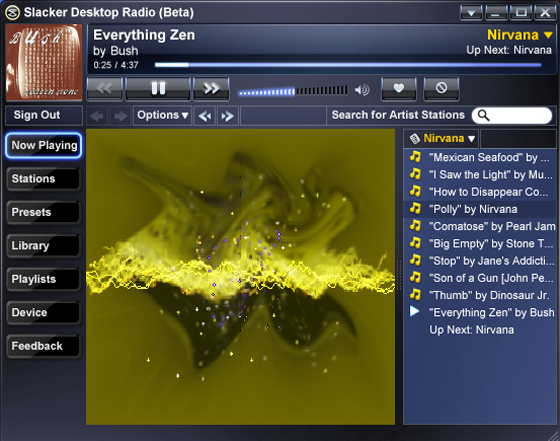
 One of the more ambitious entrants on the social music scene, Slacker, has released the second piece of their three-part music personalization suite, a desktop music player.
Slacker’s player shares a lot of the core functionality of MyStrands and Last.fm. Users create a personalized radio stream by entering a keyword into the player. There is no rewind and specific songs can not be played. Users train the player on personal music preference voting for and against tracks played. Each song also features album art and a short synopsis of the band, but Slacker lacks the personal and band wiki pages users have gravitated toward on the other services.
Unlike Last.fm, iLike, and MOG, Slacker doesn’t track music you play in iTunes. Instead Slacker functions as a stand alone player that manages personal music libraries and delivers cool music visualizations.
The lack of iTunes integration is likely due to the expected release of Slacker’s own portable music player, which will integrate with the desktop player. Users will be able to push songs, playlists, and preferences to their portable player from their desktop. Eventually, Slacker’s three parts will work in sync, each updating the others with your latest preferences.