Company: Twingine

Location: Norway
What is it?
Twingine was created by Asgeir Nilsen. It was previously, infamously, known as “YaGoohoo!gle”, but after discussions with Yahoo and Google Trademark lawyers, Asgeir changed the name to “Twingine”.
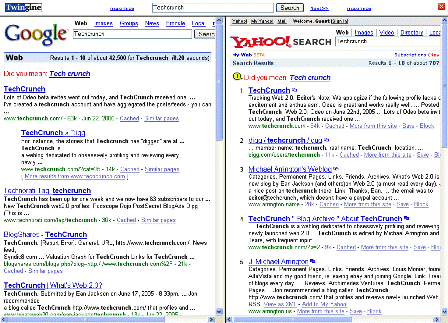
It’s a fun tool. A search yields a two pane results screen with Yahoo and Google results side-by-side.
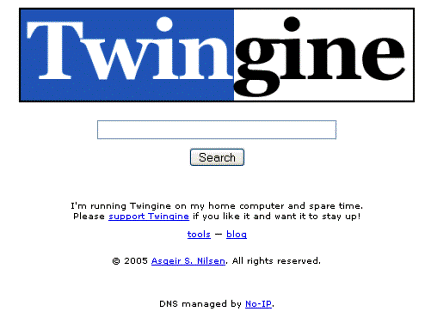
Screen Shots:
Creator:
Asgeir Nilsen
Relevant Links:
tools
blog
Asgeir Nilsen Blog
John Battelle on this
Tags: twingine, YaGoohoo!gle, web2.0, techcrunch, search, yahoo, google


See also http://jux2.com a similar service that compares Google, Yahoo and Ask Jeeves.
check out http://www.GahooYoogle.com
It delivers the same thing. And faster.
Same to twingine but include MSN. Website also soon will be specialized for webmasters. Will include nice and useful web 2.0 elements.
here is url:
http://www.YahooGoogleMsn.com
“TWINGINE: certainly, A-USEFUL-a-fun-tool & seemingly as or more efficient than others, indeed. I, get into it to begin, by typing on-ggogle->>>>>”TWINGINE”; I love it. But, how may I put the ICON-for TWINGINE onto my desktop whereat my other useful stuffs-are that are activated by doble-clicking on any one I desire to go to to activate? Many thanks. Respectfully, I am: Alex Polonofsky
try right click/new shortcut and type the address
Try yurnet.com , formerly yurweb.com , which did this same thing…Copy cats…
Another site similar to this is ComplexSearch.com and Jux2.com
I found a similar tool (copycat?
) a bit more useful: http://simsanity.com, it allows you to choose a search engine from a long list