Company: Bloglines

Location: Oakland, CA
Founded: July 1, 2003 (Link)
Status: Acquired by Ask Jeeves on February 8, 2005 (Link)
What is it?
Bloglines is a free, web based RSS reader. It’s the most popular, with NewsGator/Feeddemon a close second by number of users. If you are new to RSS, Bloglines is a very good place to start (for a complete list of web-based RSS readers, see here).
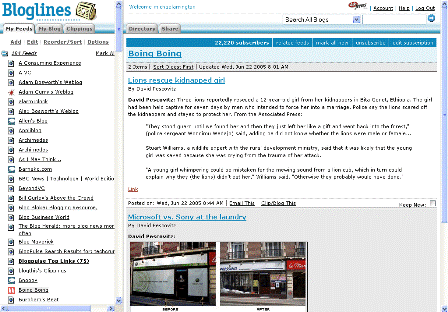
Bloglines has a “two pane” format, with folders and feeds listed on the left (bolded if there are new unread entries), and content from the selected feed shown at the right. If you read content from a lot of sites, this is an excellent way to organize information. It’s also very similar to the interface for most email applications, so its familiar to most people right from the start:
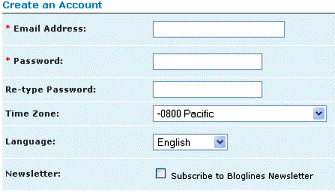
Signing up at Bloglines is very easy. All they ask for is an email address and password:
Once you are a member, you have a variety of great tools.
Key Features:
– add feeds of your favorite websites (cut and paste, or add a button to your browser toolbar to auto-add any site you are on that has a feed)
– easy import and export of feeds via opml file
– create folders to organize content
– see the number of total subscribers for any feed, and see usernames of public subscribers
– add in feeds from any other subscriber (if you like their content)
There is also a very neat feature that isn’t discussed very often. You can create a bloglines email address. Any email sent to this address appears within your feeds. This is a great way to move newsletters and other interesting content from your inbox to bloglines.
Clearly bloglines is adding tools and features to make it useful as a portal/inbox. They’re adding things like “weather” to further this goal. Overall, we like bloglines over other current web-based RSS readers, although we’d love to see a tagging tool like Rojo (Rojo profile here).
You can see public feeds for any user at bloglines.com/public/[username]. For instance, my public feeds are viewable at bloglines.com/public/michaelarrington.
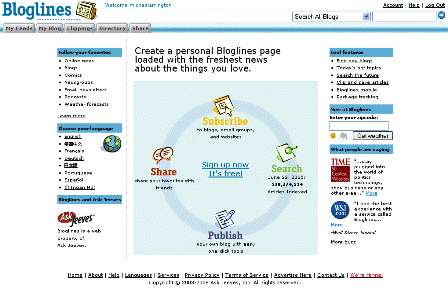
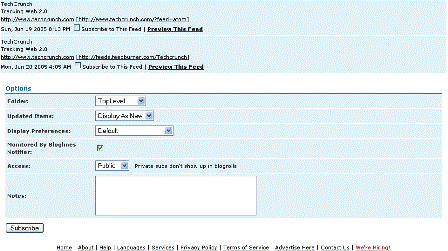
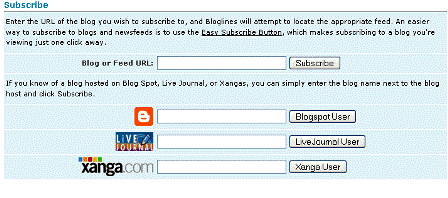
Additional Screen Shots:
Founder:
Mark Fletcher
Relevant Links:
about
faq
press
ask jeeves acquires February 8, 2005
media
services
Weblog for Mark Fletcher, CEO of Bloglines
search engine watch best blog/feed search engine (March 31, 2005)
wsj article
zerokspot.com bloglines v. rojo
unbecominglevity bloglines review (2004)
PodTech interview with Bloglines founder
Tags: bloglines, RSS, web2.0, techcrunch, RSS Readers